Answering the demand of buyers needing durable, high-port-count USB 3.0 expansion, these industrial hubs are designed for harsh settings, reliable power, and stable mounting. The top picks below suit professionals in manufacturing, IT rooms, warehouse operations, POS systems, and lab setups. Choose based on port count, build quality, mounting options, and power delivery needs.
| Product | Port Count | Power | Mounting | Best For |
|---|---|---|---|---|
| GEKRY 7-Port USB 3.0 Hub | 7 | 36W total, 900mA per port | Metal case, mountable | Small- to mid-scale setups needing power per port |
| StarTech Mountable USB 3.0 Hub (Industrial) | 4 | Bus-powered | Built-in mounting brackets | Rugged, compact expansions on walls/desks |
| StarTech 7-Port USB 3.0 Hub (ST7300USBME) | 7 | Powered with 350W surge protection | Din rail/wall/desk | Industrial environments requiring surge & ESD protection |
| Kingwin Industrial 10-Port USB 3.0 Hub | 10 | Powered adapter | Mountable with brackets | High-port-density factory or lab setups |
| sipolar 20-Port USB 3.0 Hub | 20 | 5V per port capability | Industrial-grade, broad compatibility | Large-scale data transfer and peripheral sharing |
GEKRY 7-Port USB 3.0 Hub

Features: Provides a total of 36W to power all 7 devices at 5V/900mA per port. Supports BC 1.2 charging with up to 1.5A on any four ports. Works with Windows, Mac, and Linux without drivers. USB 3.0 data transfer up to 5 Gbps and backward compatible with USB 2.0/1.1. Hot-swapping and plug-and-play supported.
Best for: Small workshops or desks needing multiple powered ports in a compact metal housing. This hub is ideal when you require reliable charging and per-port power in a compact mountable unit.
Caution: Ensure the AC adapter remains connected; depending on device load, some ports may share power during peak throughput.
StarTech Mountable USB 3.0 Hub – Industrial

Features: TAA compliant for government purchases, sturdy construction for factory environments, wide operating temperature, and ESD protection on each port. Includes mounting brackets and a lengthy host cable for flexible installations.
Best for: Environments requiring formal compliance, durable mounting, and ESD protection in a compact 4-port solution.
Limitation: Fewer ports than higher-density hubs; best paired with other hubs for large setups.
StarTech 7-Port USB 3.0 Hub (ST7300USBME)

Features: Rugged all-metal housing with 0°C to 70°C operating range. 15kV air and 8kV contact ESD protection. Surge protection of 350W on downstream and upstream ports. Includes mounting brackets and DIN rail options for stable installation.
Best for: Industrial floors or labs needing robust protection against ESD and power surges with flexible mounting.
Limitation: Higher power features may be unnecessary for light-duty tasks; ideal where protection and durability are priorities.
Kingwin Industrial USB 3.0 Hub 10-Port

Features: 10 ports built into a durable all-metal design. Includes power adapter and mounting options for walls, desks, or racks. Designed for continuous 24/7 operation in demanding environments.
Best for: Large workstations, POS systems, or factory lines needing many USB ports with stable, mountable construction.
Limitation: Power management may require careful planning to avoid overloading a single supply in very busy setups.
sipolar 20-Port USB 3.0 Hub

Features: 20 USB 3.0 ports with BC 1.2 charging support. Fast data transfer up to 5 Gbps. Wide compatibility with iPhones, MacBooks, laptops, tablets, and desktops. Note: 110V voltage is specified in the data and should be matched to mains supply.
Best for: Large desks or industrial setups requiring many USB connections at once, with flexible device support.
Limitation: Higher port count can increase overall power distribution demands; verify power supply capacity for all connected devices.
StarTech 4-Port Industrial USB 3.0 Hub

Features: 4 USB 3.0 ports in a rugged metal enclosure with ESD protection, 8kV air and 4kV contact. Includes mounting options for wall or desk, plus screw-lock connectors for secure connections.
Best for: Spaces needing a small, rugged upgrade with reliable protection and secure mounting.
Limitation: Lower port count means less expansion for high-density needs.
StarTech 7-Port USB 3.0 Hub (ST7300U3M)

Features: 7 ports, powered hub, durable metal housing. Supports up to 5 Gbps with backward compatibility to USB 2.0/1.x. Compact for desktop or wall use.
Best for: MacBook or Windows laptops needing extra high-speed ports with a sturdy build and compact footprint.
Limitation: Not as feature-rich for protection or heavy-duty industrial environments as some other models.
SIIG 20-Port Industrial USB 3.0 Hub
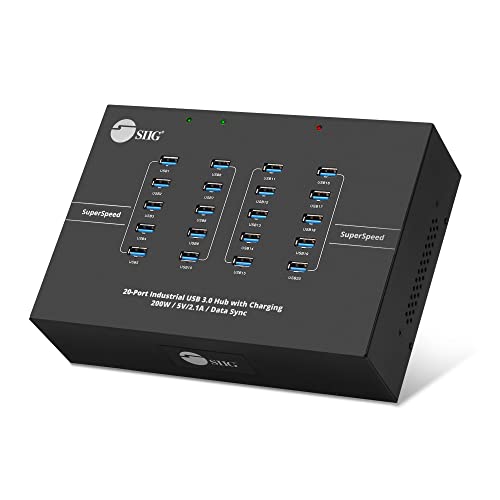
Features: 20-port powered hub designed for industrial use, with high total USB peripheral capacity. Suitable for laptop sharing, external drives, printers, keyboards, and mice.
Best for: Large lab or data-center-adjacent workstations needing extensive USB expansion with robust power handling.
Limitation: High port count requires ample power and careful cable management to maintain signal integrity.
Buying Guide
What to consider when choosing an industrial USB 3.0 hub:
- Port count versus space: Balance number of devices with available mounting area and cable management needs.
- Power delivery: Determine per-port current and total power; consider BC 1.2 charging or dedicated power adapters for high-draw devices.
- Durability and mounting: Look for metal enclosures, ESD protection, and adaptable mounting options (wall, DIN rail, desktop).
- Environmental tolerance: Temperature range, vibration resistance, and protection features matter in factories or outdoor installations.
- Compatibility and expansion: Ensure USB version compatibility (USB 3.0/USB 2.0 backward compatibility) and whether the hub is bus-powered or requires an external supply.
- Compliance and safety: TAA compliance, ESD protection, surge protection, and secure connectors improve reliability in demanding spaces.
FAQ
- What is the difference between powered and bus-powered hubs?
- Do these hubs support USB 3.0 speeds on all ports?
- Are all hubs suitable for DIN rail mounting?
- Can I use these hubs for high-power devices like external hard drives?
- Is ESD or surge protection important for industrial hubs?
- Do these hubs require drivers?
Powered hubs use an external power adapter to feed each port, enabling higher-per-port loads. Bus-powered hubs draw power from the host computer, which limits total draw and can impact performance with power-hungry devices.
Yes, most listed hubs support USB 3.0 data transfer up to 5 Gbps, with backward compatibility to USB 2.0/1.x.
Not all, but several models include DIN rail mounting or brackets; verify mounting options in the product specifications.
Yes, with powered hubs and adequate external power supplies, high-power devices can operate reliably.
Yes. ESD protection helps shield devices from static discharge, while surge protection guards against power spikes in industrial settings.
Most do not require drivers; they are plug-and-play with Windows, Mac, and Linux systems.
Add a Comment