Looking for the best CNC laser cutter and engraver for metal, glass, wood, and more? This guide highlights five strong choices and explains who each is best for. Each option balances power, precision, and ease of use, helping you pick the right machine for hobby projects, professional prototyping, or small-batch production. The table below summarizes key picks to compare at a glance.
| Product | Best For | Key Strength | Limitations |
|---|---|---|---|
| Longer Ray5 20000mW Engraver | Power users and metal/wood artisans | High output with color engraving | Requires careful ventilation and safety setup |
| xTool MetalFab 1200w | Industrial-level bench or shop | 4-in-1 integration: laser, weld, engrave, clean | Higher price and setup |
| Longer Ray5 20000mW with Air Assist | Large projects and versatile materials | Air assist kit included | Similar safety considerations as other high-power lasers |
| Carverall K15 Pro 7W | DIYers and small gift/branding tasks | App control and 0.01mm precision | Lower cutting power for thick materials |
| M2 CNC Engraving Machine Kit | Open-source, customization, large-format projects | Wall-mounted design with big working area | Dependency on compatible routers and software |
| Longer Ray5 10W | Studio settings and batch engraving | Dual-beam, offline operation | Requires larger workspace |
Longer Ray5 20000mW Laser Engraver: High-Power Precision

The Longer Ray5 20000mW is built for serious engraving and cutting tasks. With a 20000mW laser module, it can cut through pine wood up to 0.59 inches, 0.002 inches stainless steel, and 0.31 inches acrylic in a single pass. It supports multi-pass cutting for thicker materials. Best for serious hobbyists and small shops that require depth and versatility in metal, wood, and acrylic projects. A 256-color palette and ultra-fine 0.08 x 0.1 mm laser points enable detailed color engraving and high-contrast designs. A 400 x 400 mm working area supports larger pieces, and the upgraded 240 MHz ESP32 chipset enables multi-machine control from a single computer, improving workflow efficiency. Caution: high-power operation requires proper ventilation and eye protection.
Who it’s for: creatives who need robust cutting power, color engraving capabilities, and networked control for pro-grade results. Why selected: best balance of power, precision, and expandability among compact CNC laser options.
xTool MetalFab 1200w: All-in-One Metal Fabrication
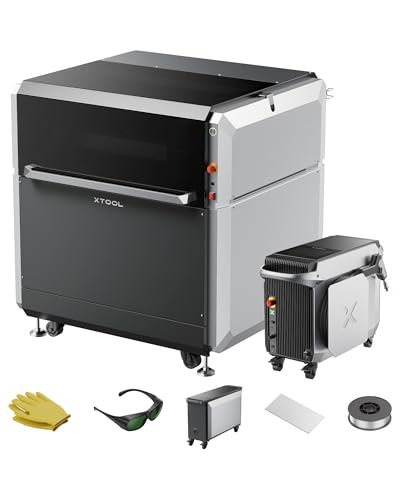
The xTool MetalFab combines a 1200W fiber laser welder, an industrial-grade CNC laser cutter, a laser cleaner, and a precision engraver in one system. It can cut carbon steel up to 10 mm and stainless steel up to 5 mm with burr-free results, thanks to VibeFreeCut technology and two high-precision cameras for positioning. With 400 mm/s cutting speed and 108+ presets, it supports rapid prototyping and production. Best for workshops seeking a single integrated solution that covers welding, cutting, and engraving. Caution: requires space and safety measures for a multi-function metal system.
Who it’s for: small manufacturing or ambitious makers who need fast turnaround, consistent welds, and a compact single-unit workflow. Why selected: stands out for its 4-in-1 capability and industrial-grade performance.
Longer Ray5 20000mW With Air Assist
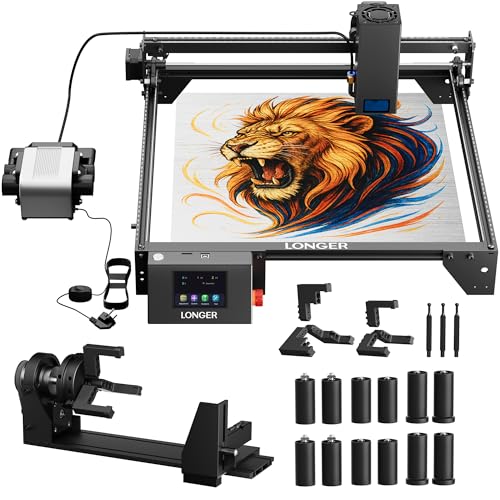
This variant adds an air-assisted interface for cleaner cuts and easier material removal. With the same core 20000mW power, it handles a wide range of materials including stainless steel, wood, leather, and acrylic. The upgraded design features a 400 x 400 mm working area and a 240 MHz ESP32 chipset for multi-machine control from a single computer. Best for users who want cleaner cuts and better surface finish in busy studios. Limitation: air pump compatibility may require additional gear.
Who it’s for: studios needing cleaner cuts and improved edge quality. Why selected: airflow assist improves material processing and surface finish for demanding projects.
Carverall K15 Pro 7W: Accessible App Control

The Carverall K15 Pro delivers 7W laser power suitable for plywood and 3 mm acrylic, with broad material compatibility across wood, leather, coated metals, and more. It emphasizes ease of use through wireless AI and the CutLabX app, allowing direct control from mobile devices. Precision is strong at 0.01 mm with visible blue alignment, making it a reliable choice for personalized gifts, small business branding, and craft projects. Best for beginners and hobbyists who want simplified, app-based control. Caution: cutting thickness is limited compared to higher-power machines.
Who it’s for: DIYers and small sellers needing simple setup and mobile control. Why selected: combines practical power, user-friendly software, and precise engraving in a compact form.
M2 CNC Engraving Machine Kit: Open-Source Layout
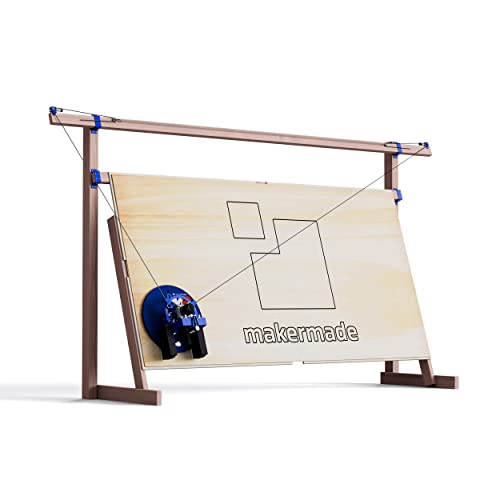
The M2 is a wall-mounted 3-axis CNC that offers a colossal cut area—up to 32 square feet—without the footprint of a traditional machine. It supports materials such as wood, metal, plastic, and foam, enabling projects like benches, signs, and guitars. The kit includes mounting hardware, a lead screw z-axis, a dust collection port, and three router bits (the router itself is not included). It runs with Makerverse, an open-source GRBL-based control software. Best for builders who want a large, open-source, customizable CNC system. Caution: requires compatible router and software setup.
Who it’s for: makers and small shops embracing open-source hardware and modular assembly. Why selected: exceptional workspace efficiency with a large working area for roomier projects.
Longer Ray5 5W: Compact Precision Engraver
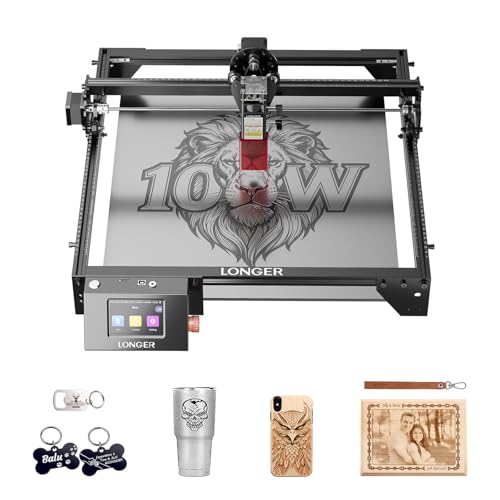
The Longer Ray5 5W offers a compact option with a 400 x 400 mm working area and a 0.08 x 0.08 mm laser spot, achieving 0.01 mm engraving accuracy. With a 240 MHz ESP32 chipset, it delivers fast processing and reliable performance. The device supports offline use and a 3.5-inch touchscreen for straightforward control, making it accessible to hobbyists focused on wood, metal, acrylic, and glass engraving. Best for beginners and small studios needing reliable, precise engraving in a compact footprint. Caution: lower cutting depth than higher-power models, more suited to engraving than thick-material cutting.
Who it’s for: newcomers and small creators seeking an affordable, precise engraving solution. Why selected: strong balance of ease-of-use and precision in a compact package.
Buying Guide: Key Considerations for CNC Metal Cutting Lasers
- Power and material versatility: Higher wattage enables thicker cuts in metal and deeper engraving, but requires better ventilation, safety measures, and often more space.
- Working area size: Larger areas unlock bigger projects but demand more bench space and stable mounting.
- Precision and repeatability: Look for small laser spot sizes and high engraving accuracy (e.g., 0.01 mm) for detailed work.
- Control interface: Apps, offline operation, and multi-device control can improve workflow, especially in studios or shared workshops.
- Connectivity and software: Compatibility with common software like LaserGRBL and LightBurn matters for flexible workflows.
- Safety and compliance: Evaluate laser class, enclosure features, and required eye protection; ensure proper ventilation for fume-producing materials.
- Installation space and setup: Integrated systems reduce clutter but may require more initial setup and calibration.
Frequently Asked Questions
- What makes a CNC laser good for metal cutting?
– Look for higher power (watts), stable beam quality, and compatible materials (metal-focused models often include features like air assist and precise alignment). - Is air assist necessary for metal engraving?
– Air assist helps keep the cut clean and reduces reflection buildup, which improves edge quality and material handling. - Can these machines be used by beginners?
– Yes, several models offer app control, offline operation, and straightforward touchscreens, but beginners should start with thinner materials and follow safety guidelines. - Do these machines require special ventilation?
– High-power lasers and cutting certain materials produce fumes. Proper ventilation or a fume extractor is recommended. - What software should I learn?
– LaserGRBL and LightBurn are common, widely supported options for engraving and cutting, with many machines offering compatibility.
Add a Comment